

Bug Life Cycle Explained for Beginners
Focuslogic Tech Academy
Software Testing Mentor
Understand how a defect moves from discovery to closure.
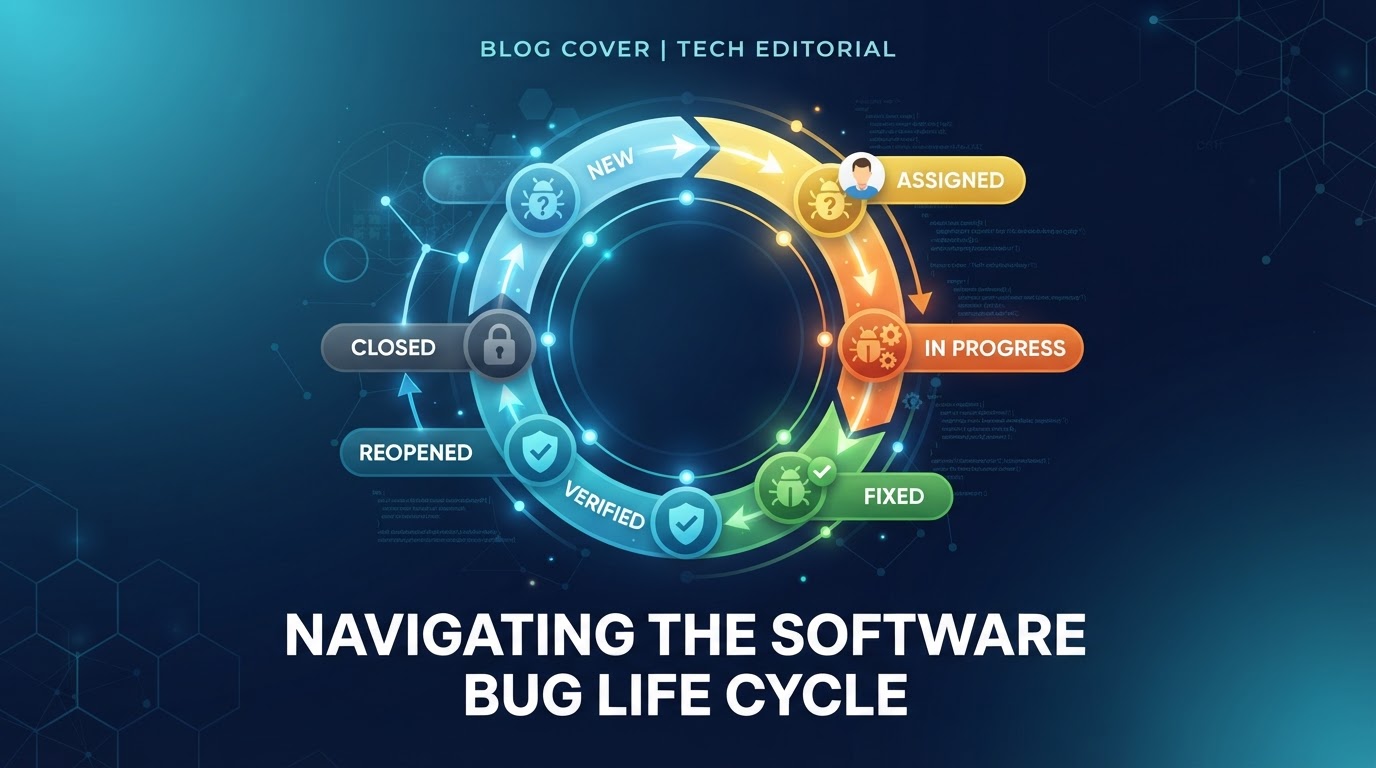
When a tester finds a defect, it doesn't get fixed instantly. It travels through a defined set of states — from the moment it's reported until it's confirmed fixed and closed. This journey is called the Bug Life Cycle, and understanding it is essential for any QA role.
The Core States
- New — A tester logs the defect for the first time.
- Assigned — The lead assigns it to a developer.
- Open — The developer is actively working on it.
- Fixed — The developer has made a fix and marked it ready for retesting.
- Retest — The tester verifies the fix.
- Verified — The tester confirms the defect is truly resolved.
- Closed — The defect is officially closed after verification.
Some teams merge or rename states, but the underlying flow — report → fix → verify → close — is universal.
When Things Don't Go Smoothly
Not every defect moves straight to Closed. Several intermediate states handle real-world complications:
- Deferred — The fix is postponed to a future release (low priority, valid bug).
- Duplicate — The same defect was already reported elsewhere.
- Rejected — The reported behavior is not actually a defect (by design).
- Not Reproducible — The developer cannot recreate the issue; the tester must add more detail.
- Reopened — The fix didn't work and the defect is sent back to the developer.
A Simple Walkthrough
Imagine you find that a 'Add to Cart' button does nothing on mobile. You log it as New. Your lead assigns it to a developer (Assigned → Open). The developer finds a JavaScript error and fixes it (Fixed). You retest on mobile and the button works (Retest → Verified → Closed).
If during retest the button still failed, you'd mark it Reopened — sending it back to the developer rather than closing it.
Why This Matters in Interviews
Interviewers frequently ask you to draw or explain the bug life cycle. Being able to confidently describe each state — and when a defect might be deferred or reopened — shows you understand testing as a process, not just clicking through screens.